
Social Tools
YouTube Title & Description Extractor
Paste a public YouTube URL to extract the video title and description, then copy them in one click.


Other Social Tools
What is a YouTube Title & Description Extractor?
A YouTube title and description extractor pulls the public title and description from a video URL so you can copy, compare, or reuse the text for research, repurposing, or content audits.
How to extract a YouTube title and description?
- 1
Paste the YouTube URL
Copy a public video link from YouTube and paste it into the input. Watch pages, Shorts, and youtu.be short links are supported.

- 2
Extract metadata
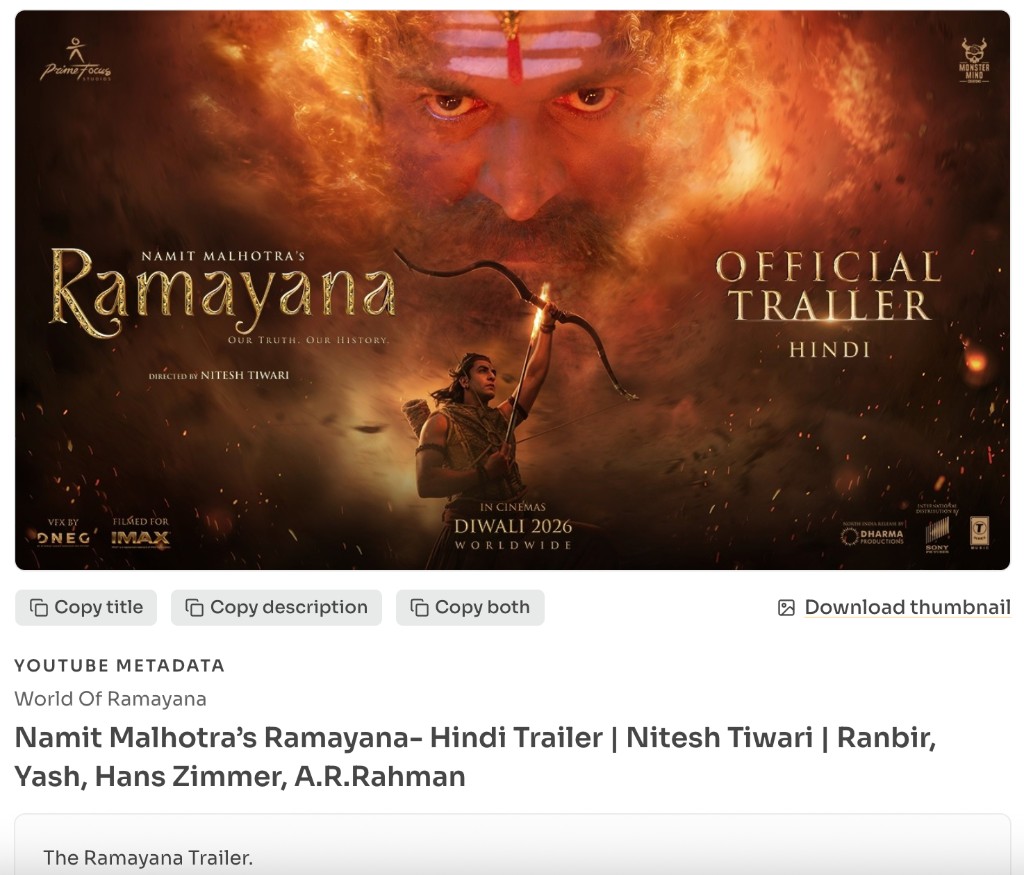
Click Extract Title & Description to load the video title, channel name, thumbnail, and full public description.
- 3
Copy what you need
Copy the title, description, or both. Always respect copyright and only reuse content you own or have permission to use.
When to use this extractor?
Whether you are researching competitor packaging, repurposing video copy into a blog draft, or archiving titles for an SEO tracker, you often need the public title and description without opening YouTube Studio.
Save titles and descriptions for research
Extract public packaging from any public video so you can archive examples for competitive or content research.
Repurpose video text into blogs or social posts
Copy title and description text into drafts for newsletters, LinkedIn posts, or blog outlines.
Audit competitor packaging and keywords
Inspect how other channels phrase titles and descriptions so you can spot patterns that work in your niche.
Recover description text without Studio
Pull the public description from a watch page when you need the copy quickly outside YouTube Studio.
Features of this Extractor
Instant title & description
Paste a public YouTube URL and pull the title plus full description in a few seconds.
One-click copy
Copy the title, description, or both into your clipboard for notes, docs, or drafts.
Thumbnail preview
Confirm you have the right video with a thumbnail alongside the extracted text.
No login required
Works for public videos without a YouTube account, extension, or desktop app.
Mobile friendly
The same paste-and-extract flow works on phones, tablets, and desktops.
Everyday YouTube links
Supports watch pages, Shorts, and youtu.be short links from public videos.
Safety & responsible use
This tool only reads publicly available metadata. Use extracted text for personal reference, research, or content you own — do not republish someone else’s description as your own.
Public videos only
Private, members-only, age-gated, or region-restricted videos may fail because their metadata is not publicly available.
Copyright & Terms of Service
Respect creator copyright and YouTube’s Terms of Service. Extracting public metadata for reference is common; claiming someone else’s copy as yours is not.
Empty descriptions
Some videos have no description. When that happens, the tool still shows the title and channel when available.
Frequently asked questions - FAQs
Quick answers about YouTube Title & Description Extractor.
Yes. You can extract and copy public titles and descriptions for free from this tool page.
Related tools